What’s New in the S-330 Web Editor
Since the initial release of the Roland S-330 Web Editor, we’ve been adding features based on real-world usage and feedback. Here’s what’s new.
Real-Time Hardware Sync
The editor now monitors the S-330 for parameter changes made on the hardware’s front panel. When you adjust a value using the sampler’s physical controls, the web interface updates to reflect the change.
This bidirectional sync means you can freely mix editing methods—tweak a filter cutoff in the browser, then fine-tune the envelope attack using the hardware’s buttons. Both interfaces stay in sync.
Integrated Video Capture Panel
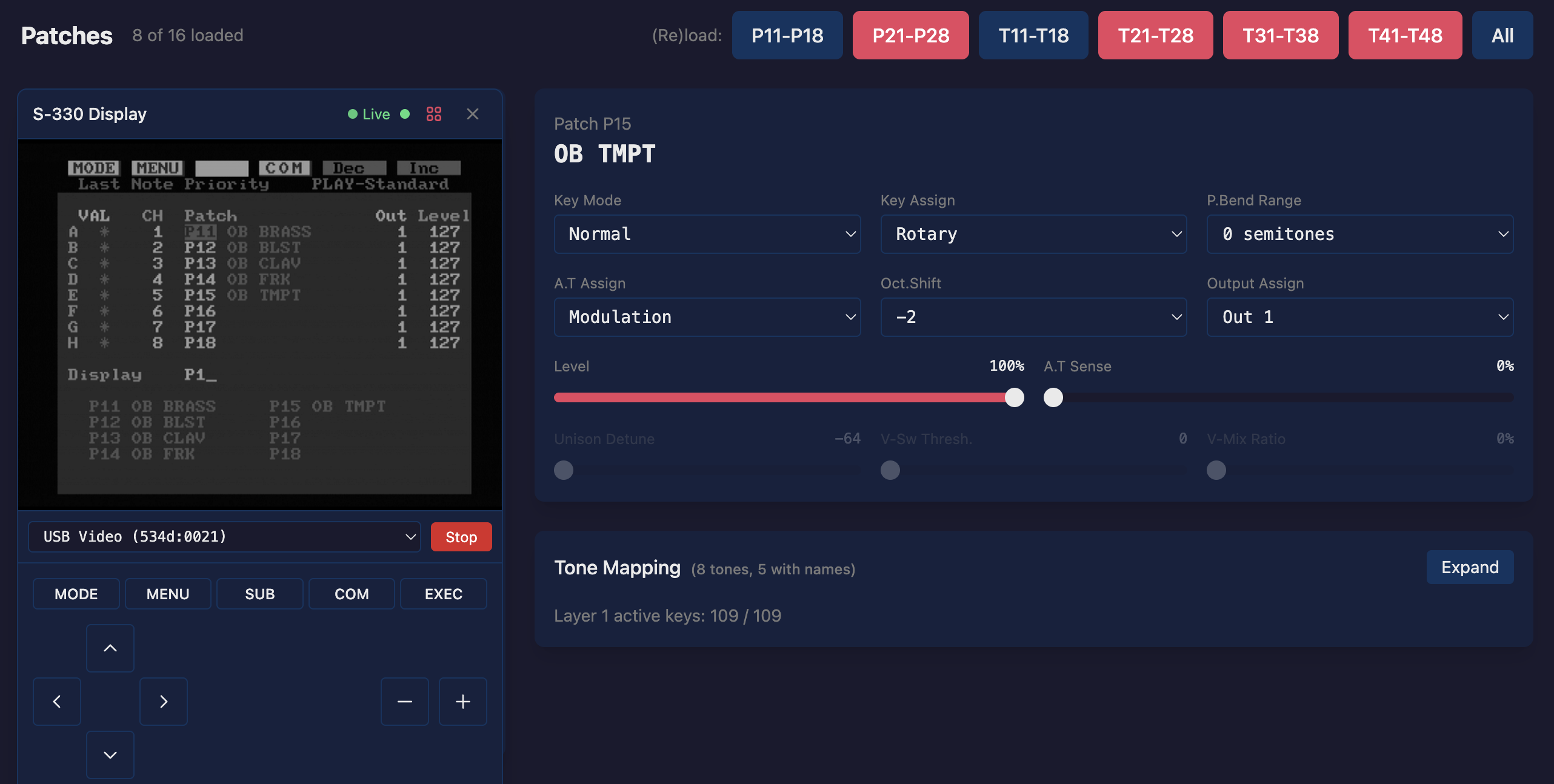
The S-330’s composite video output shows the sampler’s native graphical interface—waveform displays, envelope editors, and menu screens that aren’t replicated in the web editor. A USB video capture device connected to your computer brings this display into the browser.
The video panel now docks into a resizable sidebar drawer. A toggle tab lets you show or hide the native display without disrupting your editing layout. When visible, you can drag the divider to adjust how much screen space the video feed occupies.
MIDI Learn for Zone Editing
Setting up keyboard zones—mapping different tones across the keyboard—previously required manually entering key numbers. Now you can click a zone’s key range field and play the desired note on your MIDI controller. The editor captures the note and sets the boundary automatically.
This makes splitting the keyboard between multiple sounds significantly faster than typing note numbers or counting keys.
Envelope Editor Improvements
The visual envelope editor now scales horizontally to fit the available space, making it easier to see the full envelope shape regardless of the rate values. A fullscreen toggle expands the envelope to fill the browser window for detailed editing work.
Envelope points remain draggable, and changes continue to sync immediately to the hardware.
Immediate Parameter Feedback
Spin box controls (the number fields with increment/decrement buttons) now send parameter changes as you adjust them, rather than waiting until you click away. This provides immediate audible feedback when tweaking values like filter cutoff, LFO rate, or envelope times.
Sticky Navigation
Page headers and the patch/tone selection lists now stick to the top of the viewport as you scroll. When editing a tone with many parameters, the tone selector remains visible, making it easy to switch between tones for comparison.
Build Info and Debug Tools
A build info button in the header shows the current editor version and git commit. Clicking it opens a modal with detailed build information and a log viewer that captures console errors and warnings.
When something goes wrong, you can copy the environment info and logs directly to your clipboard for pasting into a GitHub issue. A button opens the issue form pre-filled with your browser and build details.
These tools help us diagnose problems faster and make it easier to report issues you encounter.
Bug Fixes
- Fixed a MIDI feedback loop that could occur on the Play page
- Fixed zone editor not updating when switching between patches
- Resolved stale data issues when navigating between pages
- Corrected S-330 SysEx protocol handling for parameter reads
Try It Out
The S-330 Web Editor is available at audiocontrol.org/roland/s330/editor.
The project is open source on GitHub. Bug reports and feature requests are welcome.
Related
- S-330 Editor Introduction — overview and getting started
- S-330 Documentation — setup and usage guide
- Roland S-330 Overview — specs and accessories